
Ever wondered how chatbots work behind the scenes? I did too! So, I decided to take the first step and build a simple chatbot using Python. In this blog post, I’ll walk you through the basic logic behind it and how it works. If you’re just starting with Python, this is a fun mini-project to try!
What Does the Chatbot Do?
The chatbot I built is very simple. It can:
- Respond to a few basic inputs like
"hello","how are you?", and"bye". - Give a default response if it doesn’t understand the input.
- Exit the conversation when the user types
exit.
Let’s Begin
Prerequisites
Make sure you have:
- Python 3 or above installed
Step 1: Create a Virtual Environment
Open your terminal and run the following commands:
python3 -m venv venv
source venv/bin/activate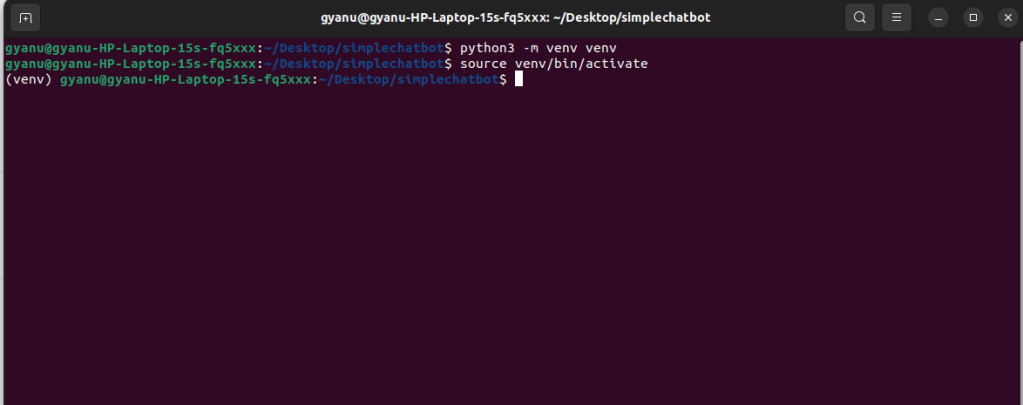
This creates and activates a virtual environment to keep your project isolated.
Step 2: Create Your Python File
Create a file named chatbot.py and paste the following code inside:
class SimpleChatbot:
    def __init__(self):
        self.responses = {
            "hello": "Hi there! How can I help?",
            "how are you?": "I'm just a bot, but I'm doing great!",
            "bye": "Goodbye! Have a great day!"
        }

    def get_response(self, user_input):
        user_input = user_input.lower()
        return self.responses.get(user_input, "Sorry!, I don't understand that.")


bot = SimpleChatbot()
while True:
    user_input = input("You: ")
    if user_input.lower() == "exit":
        print("Bot: Goodbye!")
        break
    print(f"Bot: {bot.get_response(user_input)}")
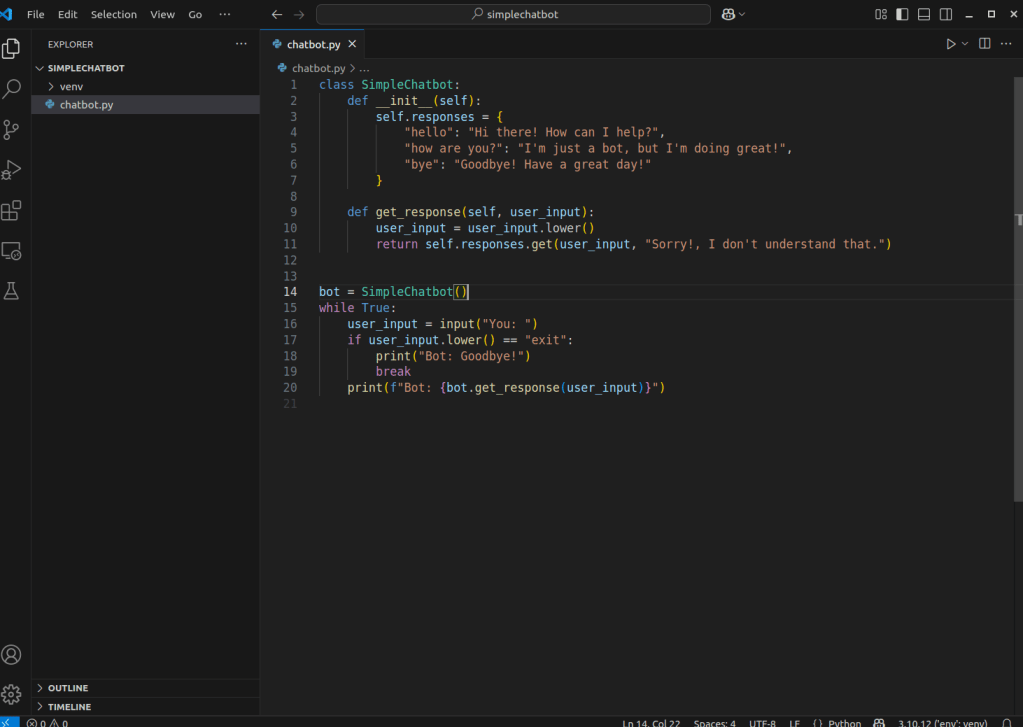
Quick Explanation of the Code
SimpleChatbotclass: This contains a dictionary of predefined responses.get_response()method: Checks if the user’s input matches one of the known phrases. If not, it shows a fallback message.- Infinite loop: Keeps the conversation going until the user types
"exit".
Step 3: Run Your Chatbot
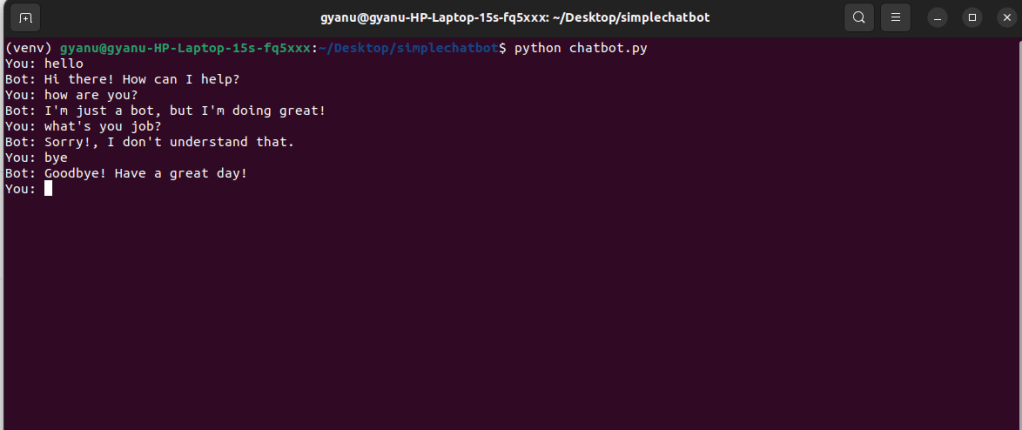
In your terminal, run:
python chatbot.pyNow try typing:
hello
how are you?
bye
And even something random like:
what's your job?If your input doesn’t match the predefined ones, the bot will respond with:
Sorry! I don't understand that.Conclusion
That’s it! You’ve just created a simple chatbot using Python.
This is a great starting point for learning about chatbots and integrating them into web apps. Keep experimenting, and happy coding!





 gyanugenai
Leave a reply to gyanuychauhant29 Cancel reply